Recently I switched from my old blog (makarandthengdi.blogspot.in) Blogger Blog to this WordPress Blog. I wanted all my blog visitors to be redirected to my new blog. If you are a web developer then I’m sure that you must have got how to do it.
Its actually pretty simple. Follow the following steps :
- Log in to your blogger account.
- Go into your admin area. Choose the “design” tab >> “Page Elements”
- Click on “Add a gadget” and choose the html/javascript gadget.
- Keep title as empty & paste the following given script in the content area of gadget.
[Note: Possibility is there that google might have changed the navigation steps (mentioned above). In that case remove all your posts (since you are moving to new blog so I’m considering that you wont be having any posts in your old blog). Create a new post. Change the mode of the editor to html mode & paste the following script in editor & publish it. As you have kept only one post in your blog whenever visitor will land on this post & due to this the script will be executed.]
Before pasting the script in to the gadgets content area / html editor, just replace the occurrences of {NewWordPressBlogAddress} with your actual wordpress blog address. In my case I have replaced with makarandthengdi.wordpress.com
Need a demo before pasting the script? Click on http://makarandthengdi.blogspot.in link & see the MAGIC!!!
<div style="position : fixed; top: 30px; left: 30px; border : solid 2px #333; color: #000;
    background-color: yellow; padding: 5px; width : 400px; z-index: 5;
    font-family: verdana, geneva, arial, helvetica, sans-serif;font-size: large;">
</div>
<div>
    <strong >My blog has moved to "{NewWordPressBlogAddress}"!</strong ></div>
<div>
    You should be automatically redirected in 5 seconds. If not, visit <a class="redirectLink"
        href='http://{NewWordPressBlogAddress}/'><span class="redirectText"
           style="font-weight : bold; color: #bb0000;">http://{NewWordPressBlogAddress}
   </span></ a> and update your bookmarks. </div>
<script language="javascript" type="text/javascript">

    var m_wpUrl = 'http://{NewWordPressBlogAddress}/';

    //redirect in 5 seconds
    window.setTimeout( function () { location.href = m_wpUrl }, 5);

    //change text
    document.getElementsByClassName( 'redirectLink')[0].setAttribute('href' , m_wpUrl);
    document.getElementsByClassName( 'redirectText')[0].innerText = m_wpUrl;

</script>
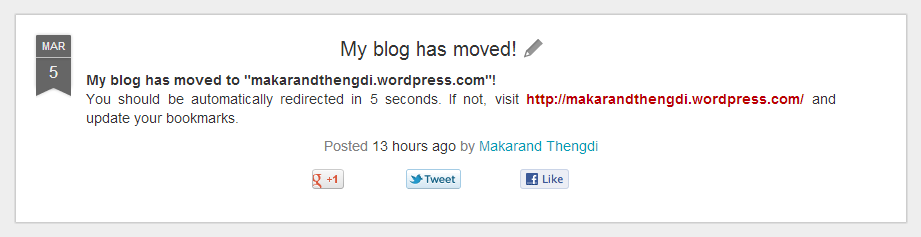
This is the output what you will see after doing as mentioned above:



 From Code to Cloud